Key takeaways
- Most computerized machines use sealed lubrication, so skip the oil unless the manual says otherwise.
- A $15-25 surge protector is far cheaper than a $100 circuit board.
- Let a machine sit for about 2 hours after a cold car ride before turning it on.
- A dying CR2032 coin cell, not a failing board, is the usual reason settings vanish overnight.
- Book a dealer service every 2-3 years to catch sensor and calibration drift early.
The machine kept losing its memory. Every morning the shop owner turned on her Brother Innov-is and found the stitch width back at default, the needle position reset to center, and her favorite blanket stitch, saved at 4.0 mm wide and 2.0 mm long, gone completely.
She reprogrammed those settings by hand for three weeks before she finally brought the machine in. The dealer quote for full diagnostics ran $85. The actual fix cost about five dollars: a fresh CR2032 coin cell on the control board, the same battery that lives inside a car key fob.
That gap, between what a sewist assumes and what the electronics actually need, is where computerized sewing machine care lives. A modern machine is still mechanical underneath: hook, feed dogs, tension discs, a needle bar moving up and down hundreds of times a minute. Wrap that mechanism in a circuit board, a motor driver, and often a touchscreen, and several of the old care rules change.
What Still Behaves Like Any Other Machine
Some habits carry over untouched. Lint still builds up in the bobbin case and around the feed dogs after a few hours of sewing, and a quick brush after every project keeps it from packing into the hook race.
Needle discipline does not change either. Swap the needle every 8-10 sewing hours, or the moment stitches start skipping or popping through the fabric. A universal 80/12 covers most quilting cotton, while a 90/14 or 100/16 holds up better on denim and canvas.
Bobbin area cleaning is identical too. Pop out the bobbin case, brush the race, and check for thread wound around the hook before it reaches the timing gears. None of that changes just because a screen was added to the top of the machine.
Laid side by side, the real differences are specific enough to write down.
| Care task | Mechanical machine | Computerized machine |
|---|---|---|
| Lint and bobbin area | Brush after every project | Same, brush after every project |
| Needle changes | Every 8-10 hours | Same, every 8-10 hours |
| Oiling the hook race | User oils per manual, often every 8-10 hours | Usually sealed, no user oiling unless the manual says otherwise |
| Power source | Standard outlet is fine | Surge protector recommended, unplug during storms |
| Cold storage or transport | Tolerates a cold car or garage | Needs about 2 hours to acclimate before power on |
| Odd behavior or glitches | Not applicable | 30 second power off reset clears most error states |
| Dealer service interval | Every 1-2 years | Every 2-3 years, plus firmware checks on some brands |
Why the Manual Says Never Add Oil
This is the change that trips up sewists moving from an older mechanical machine to a new computerized one. Most modern computerized machines ship with sealed, permanently lubricated hook assemblies, and the manual usually says so directly in the maintenance section.
Oil dropped where it does not belong migrates. It creeps along shafts and wicks into places a brush cannot reach, including the control board and the optical sensors that track needle position and stitch selection. A single stray drop can cause skipped stitches, a stuck encoder, or a board that needs full replacement instead of a $12 bottle of oil fixing anything.
Unplug the machine before opening any cover to check an oiling point, even if the power switch is already off. Check the specific model’s manual too, since a few higher end machines, including some Pfaff and Bernina models, still call for a drop or two near the hook race despite the circuit board on top.
A Surge Protector Is Cheaper Than a Circuit Board
Tip
A basic surge protector costs $15-25 and sits between the wall outlet and the machine’s power cord. That is cheap insurance for a control board that runs $100 or more to replace.
A mechanical machine has little for a power spike to damage beyond a motor winding. A computerized machine carries a control board, a display driver, and a stepper motor system, and all three are vulnerable to the kind of voltage spike that comes through a wall outlet during a storm or a grid hiccup.
More than one machine has crossed my bench with a fried board and an owner who swears the power never even flickered that day. Surges do not always announce themselves, which is exactly why the cheap protector matters more than it seems to.
Choose a protector rated for at least 200 joules, not a plain power strip, since a strip without surge protection offers no real defense. During an actual thunderstorm, unplug the machine completely, because a close lightning strike can push more voltage through the line than any household surge protector is rated to stop.
The Screen Deserves Its Own Cleaning Rules
The LCD or touchscreen is the most fragile surface on the machine. Sewists often clean it the way they would clean eyeglasses, and that is the wrong approach.
Use a dry or barely damp microfiber cloth only. Skip glass cleaners with ammonia, since ammonia breaks down the anti-glare coating many screens carry and leaves a hazy patch that never fully clears. A little distilled water on the cloth handles fingerprints and stray thread lint just fine.
A permanent haze across the display is almost always glass cleaner residue eating into the anti-glare coating, not normal wear.
On resistive touchscreens (the kind that need a light press rather than a finger swipe, common on machines from the 2010s and earlier), avoid pressing hard or using a fingernail. Resistive screens respond to pressure through a thin flexible layer, and repeated hard presses in the same spot can dent or crack that layer over a few years.
The Condensation Trap After a Cold Car Ride
Watch out
Never power on a machine right after bringing it in from a cold car or garage. Let it sit in its case, closed, for about 2 hours at room temperature first. Turning it on while condensation still sits on the board is one of the fastest ways to damage a computerized machine.
Electronics and swinging temperatures do not mix well in either direction. A machine left in a hot car trunk in July or a cold garage in January is under stress even when it looks fine sitting there.
The bigger danger shows up on the trip back inside. Cold metal and a cold circuit board meet warm, humid indoor air, and moisture condenses across every surface, inside the machine included, the same way a cold glass of water sweats on a summer porch.
Power the machine on while that moisture is still sitting there and it can short a trace or corrode a connector that was fine an hour earlier. The fix costs nothing but patience: bring the machine in, leave the case closed, and wait about 2 hours before the first stitch. In genuinely cold weather, below freezing, stretch that to closer to 3 hours.
Resets, Firmware, and the Coin Cell Behind Forgotten Settings
Computerized machines occasionally do something a mechanical machine never does: they glitch. The screen freezes mid pattern, a button stops responding, or the machine throws an error code for no obvious reason.
Before assuming a repair is needed, power the machine off, unplug it, and wait 30 seconds before plugging it back in. That short reset clears the temporary memory behind most error state weirdness, the same logic as restarting a router, and it solves a surprising share of machines that seem broken but are not.
On brands that release firmware updates, Brother, Baby Lock, and some Janome and Bernina lines among them, check for one once or twice a year through the manufacturer’s site or a dealer visit. Firmware fixes often resolve exactly the kind of freeze or misread stitch pattern that otherwise looks like a hardware fault.
Keep a short log when something odd happens: the error code shown, what stitch or function was running, and whether it repeats. A note such as error E6 during buttonhole step 3, twice this month, tells a dealer more in ten seconds than a vague description tells them in ten minutes.
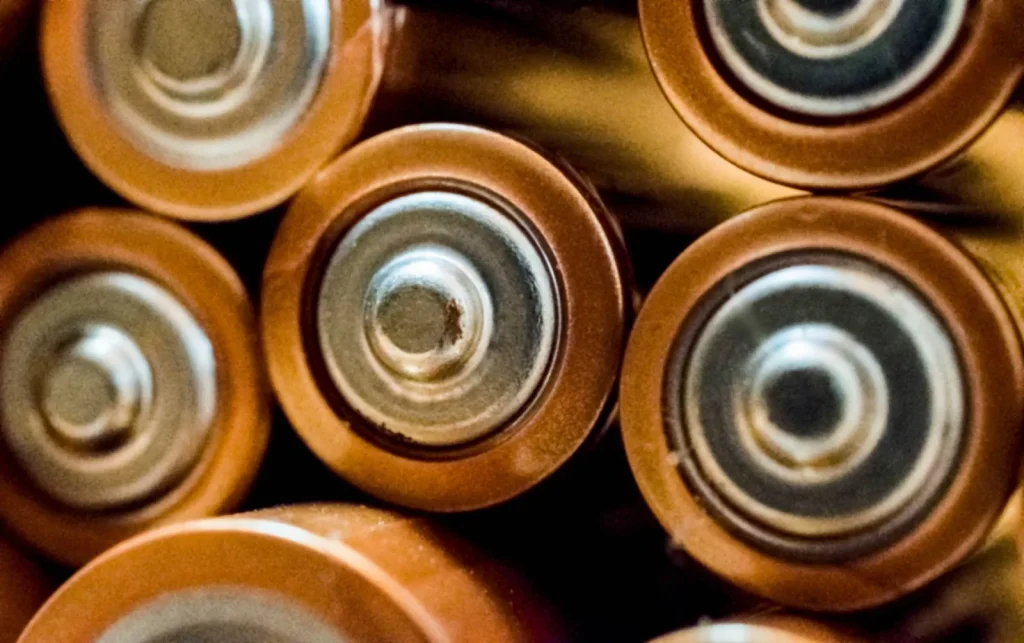
The coin cell fits this same category of small parts nobody thinks about until they fail. Most computerized machines that remember custom settings, stitch combinations, or the date and time use a CR2032 or similar lithium coin cell on the control board, separate from the main power supply, and that battery typically lasts 5-8 years.
The symptoms are exactly what the shop owner saw: settings reset overnight, a clock that will not hold the correct time, memory functions behaving like the machine was just unboxed. It is rarely the board and rarely the software. A tech can usually swap the coin cell in under 15 minutes, for a small parts and labor fee well under the cost of a diagnostic visit alone.
- Settings reset only after the machine has been unplugged, not while it is running
- The clock or date will not hold once it has been set correctly
- Saved stitch combinations or memory slots come up empty
- The machine otherwise sews normally, with no error codes and steady tension
- The machine is 5 years old or older
Match three or more of those and a coin cell swap is worth asking about before any bigger diagnostic.
What to Leave to a Dealer
Lint brushes, needle changes, and screen wiping are fair game for anyone. Board level work is not.
Resoldering a connection, replacing a control board, or recalibrating an optical sensor requires equipment and reference voltages a home sewing table does not have. Sensor alignment deserves a specific mention: the sensors that track needle position, presser foot height, and thread take-up are calibrated at the factory or by a certified tech using test patterns and diagnostic software.
A slightly misaligned sensor causes symptoms that look like a dozen other problems: the needle grazing the bobbin case, stitches drifting off pattern, a foot that will not lift all the way. Guessing at a fix usually makes the calibration worse, not better.
Budget for a dealer visit every 2-3 years even when nothing seems wrong. A typical service on a computerized machine covers a board inspection, sensor calibration check, timing verification, and a firmware check, on top of the cleaning and oiling a mechanical machine gets, and most shops charge $75-130 for the visit.
Give the Electronics the Same Attention the Mechanics Already Get
Most of the routine still looks familiar: brush the lint, swap the needle, keep the bobbin area clear. The differences are few in number but large in consequence. A skipped surge protector or a skipped acclimation window does not look like a problem until the day it is one.
Write the coin cell’s replacement date on a piece of tape stuck inside the machine’s carrying case, the same way a smoke detector battery gets tracked. Check back in five years, sooner if settings start disappearing on their own.
Keep the manual nearby for the model specific oiling question, plug into a surge protector, and let a cold machine warm up before it ever turns on. Call the dealer for anything involving the board itself. The screen is the newest part of the machine, and it is still the part most sewists have never been told how to take care of.
The stitch quality angle on this is explored in Sewing Machine Tension: How It Really Works.
For a step-by-step version of this check, read Sewing Machine Stitch Problems: The Master Symptom Guide.
Frequently asked questions
Do I need to oil a computerized sewing machine?
Most do not. Many computerized machines use sealed, permanently lubricated hook assemblies, and the manual will usually say not to add oil at home. Check the manual for your specific model first, since a few higher end machines still call for a drop at the hook race despite having a circuit board on top.
How do I know if my sewing machine's coin cell battery needs replacing?
Watch for settings that reset overnight, a clock that will not hold the correct time, and stitch memory that comes up empty even though the machine otherwise sews normally. Most computerized machines use a CR2032 lithium coin cell that lasts 5-8 years. A tech can usually swap it in under 15 minutes.
What does the 30 second reset do on a computerized sewing machine?
Power the machine off, unplug it, wait 30 seconds, then plug it back in. That clears the temporary memory behind most screen freezes and error codes without touching your saved settings. It solves a surprising number of machines that seem broken but are not.
Can I clean a sewing machine touchscreen with regular glass cleaner?
No. Ammonia in most glass cleaners breaks down the anti-glare coating on many screens and leaves a hazy patch that never clears. Use a dry or slightly damp microfiber cloth, with distilled water if needed for fingerprints.
How long should I wait before using a computerized machine after a cold car ride?
About 2 hours at room temperature, with the case still closed. Below freezing temperatures, wait closer to 3 hours. Powering the machine on while condensation is still sitting on the control board is one of the fastest ways to damage it.

Amit Sisodia
Amit Sisodia is a longtime sewing enthusiast and hobbyist repair tinkerer who has spent years diagnosing tension quirks, jammed bobbins, and stubborn feed dogs across everything from vintage treadle Singers to modern computerized machines. He writes practical, tested guides for BobbinWise so home sewists can spot problems early, tackle safe repairs themselves, and know when it's smarter to call in a technician.